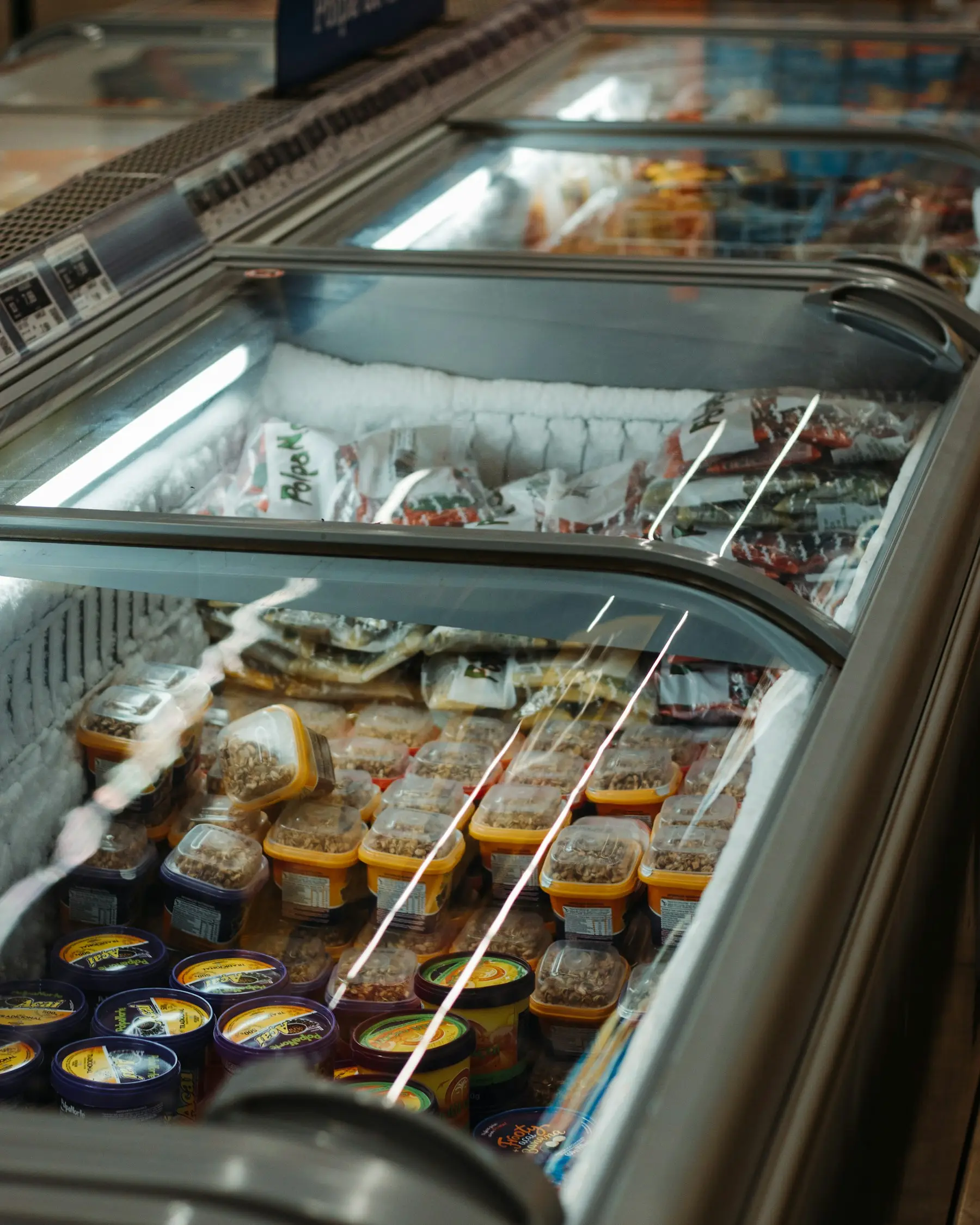
365 Retail Markets listed the PicoFreezer Vision at $9,689 in its webstore feed on October 6, 2026, under SKU PFRZ-STD (365 webstore feed1). The product page itself shows “Add to Cart for Price” (365 webstore2). eVending.com listed it at $10,600 the same day and is the only seller we found that publishes monthly fees for it (eVending17). 365 publishes no fee schedule of its own.
The unit is an upright Due North (formerly Minus Forty) freezer with five shelves, four cameras, a 5-inch touchscreen and a 4G LTE connection (operator guide6). The shopper unlocks the door with a card or phone, takes frozen items, closes the door, and is charged for what the cameras saw leave the shelves. 365 Retail Markets covers the company’s other vision coolers.
Price
| Seller | Price | Financing | Read |
|---|---|---|---|
| 365 Retail Markets1 | $9,689 | Not published | October 6, 2026 |
| eVending.com17 | $10,600 | “Finance from only $171.30 per month” | October 6, 2026 |
| Vending.com19 | Call for price | “Up to 100% financing” | October 6, 2026 |
eVending’s page does not state the term or rate behind the $171.30 figure; its payment calculator defaults to a 10.00% add-on interest rate. eVending tags the listing in its $8,000 to $9,999 price band even though the price is $10,600 (eVending feed18). Vending machine financing compares lenders.
365’s store links one add-on to the freezer: Minus40 White Glove Service at $639, “available in addition to standard shipping charges”, charged once per delivery address (365 webstore3). Standard freight is not published.
Monthly fees
365’s financial FAQ16 names the fee types without amounts: a processing fee on card and account sales taken from the weekly disbursement, a monthly administrative fee per kiosk, and a software subscription that is either a fixed rate or based on location sales. Two resellers publish figures for the freezer:
| Fee | eVending.com | VendHub |
|---|---|---|
| Subscription | 7.5% of monthly sales, $75 minimum, $175 maximum | 5% of gross sales, $25 minimum, $199 maximum |
| Card processing | 5.95% per transaction | 5.75% |
| Connectivity | MaxAware Ethernet with cellular failover, $10/month, includes up to 100 MB of cellular data | Ethernet with backup cellular $10/month, or dedicated cellular $45/month with unlimited data |
| Loyalty account (GMA) sales | Not listed | 5.1% |
From eVending17 and VendHub’s fee table20, both read October 6, 2026. VendHub’s table lists the “Pico freezer” at $25 to $199, but the note under the same table says the minimum is $50. VendHub’s rates apply to machines run on its platform. With 365 publishing no schedule and the two resellers disagreeing, I wouldn’t order without the fee schedule for the specific seller attached to the order.
Applied to a month of card sales, before tax and the GMA fee:
| Monthly sales | eVending schedule | VendHub schedule (ethernet backup) |
|---|---|---|
| $500 | $75 + $10 + $29.75 = $114.75 | $25 + $10 + $28.75 = $63.75 |
| $2,000 | $150 + $10 + $119.00 = $279.00 | $100 + $10 + $115.00 = $225.00 |
Our arithmetic on the published rates. The eVending column hits its $75 floor below $1,000 in monthly sales and its $175 cap above about $2,333. Smart cooler monthly fees runs the same month across other platforms.
At low sales the minimum sets the subscription, so for a freezer I expected to sell a few hundred dollars a month, I’d compare minimums before percentages.
Specs
| Spec | PicoFreezer Vision |
|---|---|
| Cabinet | Due North (Minus Forty) upright, full-height glass door, black inside and out |
| Size (H × W × D) | 78.75 × 30 × 32.62 in less handle; FAQ gives 34.5 in deep |
| Gross capacity | 23.41 cu ft (663 L) |
| Factory setpoint | -20°F (-28.9°C) |
| SMARTLOCK trigger | ≥ 0°F (-18°C), adjustable |
| Shelves | 5 adjustable plus 1 bottom shelf; more cannot be added |
| Electrical | 115 V, 60 Hz, 1 phase, 4.6 A, 0.37 kW; NEMA 5-15P; 15 A service |
| Plugs | 2 (one for the Pico unit, one for the freezer) |
| Refrigerant | R290 |
| Weight | 340 lb |
| Door glass | Triple pane, low-E coated, antifog |
| Cameras | 4 corner cameras, USB 2.0 2 MP RGB, heated lens ring |
| Computer | Industrial PC with 12 USB ports |
| Payment terminal | Castles S1U |
| Router | OptConnect neo2 aware (4G LTE) or max aware (4G LTE plus Wi-Fi); Ethernet supported |
| Casters | Yes |
From 365’s spec sheet4, FAQ5 and troubleshooting guide7. The spec sheet’s 32.62-inch depth excludes the handle; the FAQ’s 34.5 inches does not say. The router picks the stronger of Verizon or AT&T. The camera cables leave the cabinet through a putty seal, and 365 sends a certified Due North technician for any camera cable problem rather than having the operator open it.
The capacity, height, width and weight match 365’s PicoCooler Vision. 365 does not publish interior shelf dimensions, the compressor model, energy use per day, or a product count.
How detection works
365’s spec sheet credits “AI-driven product recognition”; the cameras record each door session and the system works out what left the cabinet (spec sheet4). Planograms are built in the same Stockwell tool used for the PicoCooler Vision (FAQ5). The operator guide asks for one item type per row, no stacking of different products on or behind each other, and a schema that “should look like the units store front photo”, warning that inaccurate schemas “can cause loss and inventory issues” (operator guide6).
Product rules from 365:
- Minimum size: 4 × 2 inches, with no maximum. Smaller products go on the upper shelves (FAQ5).
- Placement: larger items away from the hinges, smaller ones closer, and similar-looking items on different shelves (Pico Vision best practices11).
- Restocking: drivers use the 365Ops app, which photographs the shelves for transaction review. 365 asks drivers to keep the door closed during restocking because sustained high temperatures trigger the health safety lock.
For the PicoCooler Vision, 365 says the system needs around 100 transactions of an item before training is complete (PicoCooler Vision FAQ12); it publishes no separate figure for the freezer. Across its vision devices, about 3% of transactions need manual input, and flagged transactions are resolved within 24 to 48 hours. 365 warns of a “risk of losing flagged transactions” if operators do not review them (flagged transactions guide13). How smart coolers detect items compares cameras, weight and RFID.
Payments and connection
The operator guide lists card payments by insert, tap or swipe, Apple Pay and Google Pay, 365’s Connect and Pay app, Connected Campus, Scan & Save discounts, Global Market Account loyalty, and email or SMS receipts. There is no cash acceptance and “no offline functionality” (operator guide6); the troubleshooting guide adds that the device “must be online to process payments”. I’d confirm the site’s cellular signal or a wired connection before ordering, because a dropped connection stops every sale.
365’s controlled-access devices default to a $10.00 pre-authorization hold, adjustable down to $1.00 (PicoCooler Vision FAQ12). The freezer’s provisioning screen has a field to set the amount (self-provisioning guide8). Pre-authorization holds compares brands.
Setup
365’s articles conflict on provisioning. The operator guide6 says the device “does not currently support Self Provisioning” and requires a 365 Vision Smart Store Deployment Request, processed in 3 to 5 business days. A separate self-provisioning guide8, updated the same day in April 2026, walks through provisioning the freezer from its own screen. Ask 365 which applies before the unit ships.
The unit ships pre-installed (FAQ5). After plugging in, it takes 4 to 6 minutes to boot and then shows “Cooler Safety checks have failed”, which the operator clears by holding the controller’s down arrow for five seconds (operator guide6).
The sales pager says the freezer can be paired with an existing PicoCooler Vision and PicoAmbient Vision (sales pager9). 365’s variants FAQ says one Pico screen runs at most three bays and only ambient cabinets can be added on, so a freezer cannot be an add-on bay. The same FAQ warns that several cabinets on one building circuit can draw too much power (variants FAQ10).
Temperature lock and food code
If the freezer warms past its SMARTLOCK trigger, shoppers cannot start a transaction, the same behaviour as the Stockwell 2.0 and PicoCooler Vision. 365’s instruction is to check the products for spoilage and remove anything spoiled before overriding the lock; operators who do not know the override sequence call Due North at (800) 800-5706 (FAQ5). ADM’s Temperature Sensor Report includes the PicoFreezer Vision, logs readings about every five minutes, keeps up to 90 days of history, and exports to CSV (Temperature Sensor Report14).
The FDA’s model Food Code 202221 says in §3-501.11 that “Stored frozen FOODS shall be maintained frozen” and gives no degree figure. Its §4-204.111 requires a machine vending time/temperature control for safety food to stop vending after a power or mechanical failure until it is serviced and restocked with food kept at safe temperatures; the 30-minute, 41°F limit in that section is written for refrigerated machines. States adopt the Food Code with their own changes, so ask the county environmental health department which version applies. California vending machine permits shows how one state handles refrigerated machines.
Warranty
eVending lists a one-year warranty (eVending17). 365’s warranty guide15 gives every component a minimum one-year warranty from the ship date, covering defects in materials and workmanship, and offers extended cover only on MM6 and PicoMarket kiosks. 365 does not say whether Due North or 365 handles freezer compressor claims under warranty, or whether labor is included.
Other smart freezers with published prices
| Freezer | Detection | Temperature | Price | Monthly fee | Processing | Warranty |
|---|---|---|---|---|---|---|
| 365 PicoFreezer Vision | 4 cameras | -20°F setpoint | $9,689 (365); $10,600 (eVending) | Not published by 365 | Not published by 365 | 1 year |
| Micromart Smart Freezer25 | 4 cameras | -20°F, factory set | $6,995 plus freight | $60 | 4% + $0.10 | 5 years compressor, 3 years other parts |
| Haha Freezer 55022 | Cameras | -8°F to -1°F or 32–50°F | $5,399; $4,749 at eVending; $4,700 at VE Solutions | $40 | 5.95% | 1 year |
| Byte Smart Freezer27 | RFID tags | -10°F to 5°F | $5,500 | $125 | 2.5% + $0.20 | 1 year |
Read October 6, 2026. Micromart’s lease is $245 a month for 36 months with a $700 buyout, delivered in five weeks; its temperature is from Micromart’s technical specs26, which say it cannot be changed in the field. Haha’s $40 covers $10 for the card reader, $15 for the SIM card and $15 for software (Haha23); its 5.95% rate and a $0.05 per-transaction AI fee appear in VendHub’s fee table20. The Freezer 550’s temperature range and $4,700 price are from VE Solutions24; eVending’s price is from its catalog feed18. Byte also charges for each RFID tag. If compressor cover mattered most to me, I’d weigh Micromart’s five-year compressor term against the one year 365 lists. Haha vending machines, Micromart smart fridge and Byte smart fridge cover each in detail, and smart coolers compared sets them beside the refrigerated models.
What 365 does not publish
- A price on the product page itself; the $9,689 appears only in the store feed.
- Its own subscription, processing, administrative or connectivity fees for the freezer.
- Financing terms, freight cost and lead time.
- Interior shelf dimensions, product capacity, daily energy use and the compressor model.
- A training period or accuracy figure specific to the freezer.
We have not run a PicoFreezer Vision.